Main Page: Difference between revisions
No edit summary |
No edit summary |
||
| Line 53: | Line 53: | ||
<div>[[Image:12.png|Transmitter|link=Gallery]]</div> | <div>[[Image:12.png|Transmitter|link=Gallery]]</div> | ||
</div></div>--> | </div></div>--> | ||
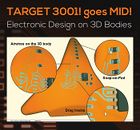
<div style="height: | <div style="height:160px; margin:0; margin-top:10px; margin-right:5px; border:2px solid #dfdfdf; padding:0.8em 1em 0.7em 1em; background-color:#f8f8ff;"><table border="0" cellpadding="10"><tr bgcolor="#f8f8ff"><td><center><span style="color:#FF0000;"><b><big>CAD-<br>WORLD DEBUT:</big></b></span><br></center></td> | ||
<td><center><span class="plainlinks">[[image:mid350_e.jpg|140px|CAD for MID|link=Molded_Interconnect_Device_(MID)]]</span></center></td><td><center><big><b>[[Molded_Interconnect_Device_(MID)|MID]]</b></big></center><b><br>[[Molded_Interconnect_Device_(MID)|Circuit design<br>on 3D bodies]]</b></td></tr></table><br> | <td><center><span class="plainlinks">[[image:mid350_e.jpg|140px|CAD for MID|link=Molded_Interconnect_Device_(MID)]]</span></center></td><td><center><big><b>[[Molded_Interconnect_Device_(MID)|MID]]</b></big></center><b><br>[[Molded_Interconnect_Device_(MID)|Circuit design<br>on 3D bodies]]</b></td></tr></table><br> | ||
</div> | </div> | ||
<div style="height:130px; margin:0; margin-top:10px; margin-right:5px; border:2px solid #dfdfdf; padding:0.3em 1em 0.7em 1em; background-color:#f8f8ff;"><table border="0" cellpadding="10"><tr bgcolor="#f8f8ff"><td><center><span style="color:#FF0000;"><b><big>NEW:</big></b></span><br><b>Package and 3D Generator</b></center></td> | |||
<td><center><span class="plainlinks">[[image:Videoicon_packagegenerator_144.jpg|link=http://www.server.ibfriedrich.com/video/e/packagegenerator/packagegenerator.html|Package and 3D Generator]]</span></center></td><td><span style="color:#FF0000;"><b><big>NEW:</big></b></span><br>[[Package Generator|Easy creation of packages and 3D image]]: <b>Enter dimensions, done.</b></td></tr></table></div | <td><center><span class="plainlinks">[[image:Videoicon_packagegenerator_144.jpg|link=http://www.server.ibfriedrich.com/video/e/packagegenerator/packagegenerator.html|Package and 3D Generator]]</span></center></td><td><span style="color:#FF0000;"><b><big>NEW:</big></b></span><br>[[Package Generator|Easy creation of packages and 3D image]]: <b>Enter dimensions, done.</b></td></tr></table></div> | ||
<!--<div style="margin:0; height:115px; margin-top:10px; margin-right:2px; border:2px solid #dfdfdf; padding:0.3em 1em 0.7em 1em; background-color:#f8f8ff;">Find components by the component gallery<small> [[Gallery|More...]]</small><br> | <!--<div style="margin:0; height:115px; margin-top:10px; margin-right:2px; border:2px solid #dfdfdf; padding:0.3em 1em 0.7em 1em; background-color:#f8f8ff;">Find components by the component gallery<small> [[Gallery|More...]]</small><br> | ||
<div id="ibf-image-ticker" style="height:100px; width:400px; float:left; visibility:hidden;"> | <div id="ibf-image-ticker" style="height:100px; width:400px; float:left; visibility:hidden;"> | ||
Revision as of 12:30, 4 November 2016


|
 
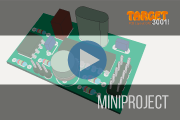
 Great ideas can turn into great products, if your PCB design tool provides the freedom and efficiency to capture those ideas. That tool is TARGET 3001!. That's our opinion! See what our customers say... |