


Samacsys
Search engine for electronic components including CAD data. Drag and drop the results to your TARGET 3001! design.
Think Google, but just Electronic Component descriptions, ECAD models and datasheets are displayed.
Results can be dragged and dropped to your TARGET 3001! design (schematic and layout). Once a component is dropped to the project, it is instantly taken to the component data base too. All you need is the Samacsys software LibraryLoader which is free.
Download and install LibraryLoader
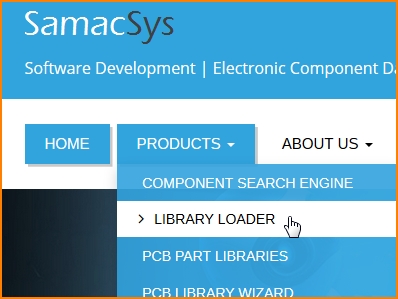
Image: Find "LibraryLoader" on the Samacsys Website www.samacsys.com under menu item "Products"
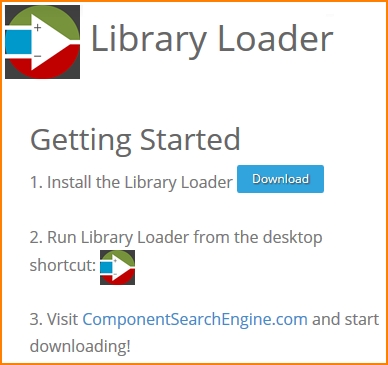
Bild: Download LibraryLoader from the Samacsys website
Register and launch LibraryLoader
Registration is quickly done, no delicate data are required. Launch LibraryLoader by M11 on the desktop icon. IMPORTANT: Define in line "Downloads Folder" for Downloads the same folder as the one you have defined for downloads in your Web-Browser. Wählen Sie bei "Your ECAD Tool" TARGET 3001! from the list.

Image:Opening dialog of LibraryLoader
Click in LibraryLoader "Search for Parts"
Following the link "Search for Parts" leads to the Samacsys website. Now use the search line. For example we look for a timer NE555D.

Now open an empty schematic page in TARGET 3001!
Find the desired part in the Samacsys list of results and click M1 upon the green button in front of the line. If the browser asks for saving it, please do so. Press [OK].

The symbol is fixed to your cursor so that you can drop it to your schematic.

Image: Some browsers ask for saving. Do so in order to get it into your clipboard.
The package now is available in your TARGET - package list, ready for drag and drop to your layout or import my mouseclick.
en:Samacsys